










Item out of stock
Selling fast! Item low in stock
Adobe Photoshop elements 6 - Philip Andrews
Oops!
Unfortunately it looks like someone took the last one.
Unfortunately it looks like someone took the last one.
No worries, we have many more interesting finds for you.
Browse similar
Why choose musicMagpie?
Title
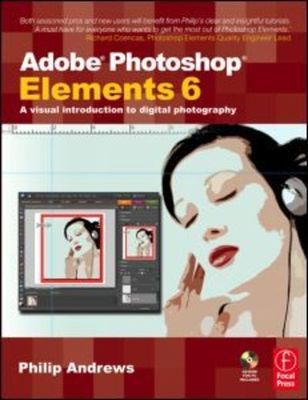
Adobe Photoshop elements 6 - a visual introduction to digital photography
Adobe Photoshop elements 6 - a visual introduction to digital photography
Author
Philip Andrews
Philip Andrews
format
Paperback / softback
Paperback / softback
Publisher
Routledge
Routledge
Language
English
English
UK Publication Date
20071219
20071219
Description
If you are an amateur or professional photographer who works with digital images and wants great results fast, this essential, easy-to-follow guide from world-renowned Adobe Photoshop Elements expert Philip Andrews is for you!
There are countless ways to use Adobe's powerful Elements 6 software, and Andrews helps you with the skills to conquer them all; from turning ordinary photos into extraordinary scrapbooks, calendars, and albums to making business cards, flyers, and other promotional materials for your organization quickly and economically. Real-life examples and precise, easy-to-follow step-by-step instructions will help you get up to speed with Elements 6 fast for the results you want in no time, whether your photographs are from your digital camera or scanned images from film and slides.
If it's in Elements, it's in this book. Andrews covers tried and true tools which have been revamped to better suit photographers' needs, such as the Adjust Color Curves and Convert to Black and White features, the Brightness/Contrast feature, and a smoother workflow for the creation of photo projects such as Photo Books, Photo Collage, Online Galleries, CD/DVD Jackets, and CD/DVD Labels.
He also dives into the exciting, all-new features of Elements 6 such as:
*The Quick Selection Tool
*Fantastic Photomerge technology for group shots and faces, which lets you combine the best pieces from multiple images
*Direct copy to CD/DVD to speed up your workflow when you need to copy several images to disc quickly
*The Guided Edit Workshop with interactive technique tutorials
*Smart Albums, to automatically add photos that match certain criteria to your Album
*The Refine Edge feature, which allows you to control how smooth or feathered the edges of your images appear
*A Task Pane with five different Task Modes (Organize, Fix, Create, Share and Edit) to
help you manage the processing of your
images
.and much, much more.
Whatever your organizing, editing, creating, and sharing needs are, you'll find clear-cut, no-nonsense answers in this introductory book/CD/website learning package. If you find yourself getting stuck, Philip is just a click away with over two hours of superb video tutorials on the included CD. Or, visit the book's website, www.guide2elements.com, for updates and more images that you can use to practice your new skills.
Written by a photographer for photographers, this book is for those who want to know the techniques that get results and can be put into practice immediately.
There are countless ways to use Adobe's powerful Elements 6 software, and Andrews helps you with the skills to conquer them all; from turning ordinary photos into extraordinary scrapbooks, calendars, and albums to making business cards, flyers, and other promotional materials for your organization quickly and economically. Real-life examples and precise, easy-to-follow step-by-step instructions will help you get up to speed with Elements 6 fast for the results you want in no time, whether your photographs are from your digital camera or scanned images from film and slides.
If it's in Elements, it's in this book. Andrews covers tried and true tools which have been revamped to better suit photographers' needs, such as the Adjust Color Curves and Convert to Black and White features, the Brightness/Contrast feature, and a smoother workflow for the creation of photo projects such as Photo Books, Photo Collage, Online Galleries, CD/DVD Jackets, and CD/DVD Labels.
He also dives into the exciting, all-new features of Elements 6 such as:
*The Quick Selection Tool
*Fantastic Photomerge technology for group shots and faces, which lets you combine the best pieces from multiple images
*Direct copy to CD/DVD to speed up your workflow when you need to copy several images to disc quickly
*The Guided Edit Workshop with interactive technique tutorials
*Smart Albums, to automatically add photos that match certain criteria to your Album
*The Refine Edge feature, which allows you to control how smooth or feathered the edges of your images appear
*A Task Pane with five different Task Modes (Organize, Fix, Create, Share and Edit) to
help you manage the processing of your
images
.and much, much more.
Whatever your organizing, editing, creating, and sharing needs are, you'll find clear-cut, no-nonsense answers in this introductory book/CD/website learning package. If you find yourself getting stuck, Philip is just a click away with over two hours of superb video tutorials on the included CD. Or, visit the book's website, www.guide2elements.com, for updates and more images that you can use to practice your new skills.
Written by a photographer for photographers, this book is for those who want to know the techniques that get results and can be put into practice immediately.
Why buy with musicMagpie?

FREE 12 Month Warranty on Tech

Magpie Certified Refurbished Tech

FREE Delivery on ALL Orders

14 Day Money Back Guarantee

90 Point Refurbished Quality Check
If you’re looking for something new to listen to, watch or play, look no further than the musicMagpie Store. We sell over half a million new and used CDs, DVDs, Blu-Rays, Games and Vinyl, spanning all kinds of genres and consoles, with prices starting from just £1.09! We also sell a wide range of refurbished Mobile Phones and Tech from major brands like Apple, Samsung, Sony, Microsoft and much more. With a 12 month quality warranty, you can save with total confidence.