
Item out of stock
Selling fast! Item low in stock
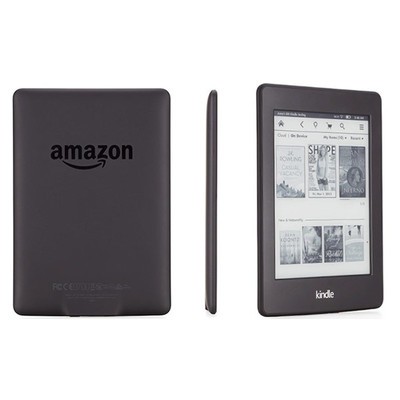
Amazon Kindle Paperwhite 2nd gen
Size
2 GB
Grade
Refurbished Pristine
What's This?
This is a pristine product, it has been fully tested and is in excellent working order. You're getting a great device at a great price!
Select to find out more
FREE 12 Month Warranty
14 Day Money Back Guarantee
Magpie Certified Refurbished
FREE Delivery on All Orders
Description
Slip through books while saving your place
Page Flip makes it easy to find pictures, charts, maps and even your notes and highlights from different parts of a book. While you swipe to other pages or zoom out to see page thumbnails, Page Flip automatically saves the page you’re reading, pinning it to the side of your screen so you’ll never lose your place.
Sharp, dark text
Enjoy text that reads like the printed page. Our fonts, such as Bookerly, have been hand-tuned at the pixel level for maximum readability.
Export and share notes
It’s now easy to export notes and highlights from a book to your e-mail, so you can always have them on-hand for reference. Receive your notes both as an easily printable PDF that’s ready to bring to your book club, and as a simple file you can open in your favorite spreadsheet app.
Read comfortably with one hand
Lighter than a paperback, comfortably hold Kindle in one hand for those times when you can’t put the book down.
Lose yourself in a book
By design, Kindle is purpose-built for reading and creates a sanctuary so you can lose yourself in a book. Unlike tablets and phones, Kindle doesn’t distract you with social media, emails, and text messages
Won't tire your eyes in the dark
Unlike back-lit tablets that shine in your eyes, Kindle guides light toward the surface of the display with its built-in front light so you can read comfortably for hours without eyestrain.
Learn more about a book before you start reading
With About This Book, see background information about the author, other books in the series, and more.
Adjust your text size
Choose from eight text sizes to prevent tired eyes and keep you reading longer.
Share your library
With Family Library, you and your family can access and easily share not only your own Kindle books, but also books from the linked Amazon account of a spouse or partner.
In-line footnotes
With a single tap, read the complete text of each footnote without losing your place in the book
X-Ray lets you explore the “Bones of the Book”
See all the passages across a book that mention relevant ideas, fictional characters, historical figures, places, or topics of interest. The X-Ray timeline view lets you easily flip through notable passages to remind yourself of what’s happened in the book, or navigate easily through images.
Look it up instantly while you read
Smart Lookup integrates entries from The New Oxford American Dictionary with information from X-Ray and Wikipedia, so you can access definitions, characters, settings, and more without losing your place.
Know how long it will take to finish that last chapter
Time to Read is personalized based on your reading speed, and is constantly updated as your speed and habits change. At a glance you’ll know how much time it will take to finish a chapter or book.
Translate passages instantly
Tap any word or highlight a section to instantly translate it into other languages, including Spanish, Japanese, and more. Translations are provided by Bing Translator.
Why buy with musicMagpie?

FREE 12 Month Warranty on Tech

Magpie Certified Refurbished Tech

FREE Delivery on ALL Orders

14 Day Money Back Guarantee

90 Point Refurbished Quality Check
If you’re looking for something new to listen to, watch or play, look no further than the musicMagpie Store. We sell over half a million new and used CDs, DVDs, Blu-Rays, Games and Vinyl, spanning all kinds of genres and consoles, with prices starting from just £1.09! We also sell a wide range of refurbished Mobile Phones and Tech from major brands like Apple, Samsung, Sony, Microsoft and much more. With a 12 month quality warranty, you can save with total confidence.