










Item out of stock
Selling fast! Item low in stock
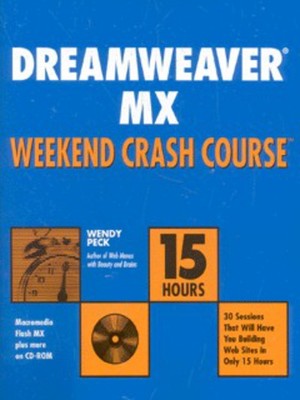
Dreamweaver MX weekend crash course - Wendy Peck
Oops!
Unfortunately it looks like someone took the last one.
Unfortunately it looks like someone took the last one.
No worries, we have many more interesting finds for you.
Browse similar
Why choose musicMagpie?
Title
Dreamweaver MX weekend crash course
Dreamweaver MX weekend crash course
Author
Wendy Peck
Wendy Peck
format
Paperback / softback
Paperback / softback
Publisher
John Wiley & Sons, Inc.
John Wiley & Sons, Inc.
Language
English
English
UK Publication Date
20020808
20020808
Description
Get Up to Speed on Dreamweaver MX – in a Weekend!
The big day is Monday. The day you get to show off what you know about Dreamweaver MX. The problem is, you're not really up to speed. Maybe it's been a while since you worked with Dreamweaver. Or maybe you just like a challenge. In any event, we've got a solution for you – Dreamweaver MX Weekend Crash Course. Open the book Friday evening and on Sunday afternoon, after completing 30 fast, focused sessions, you'll be able to dive right in and start building a Dreamweaver Web site. It's as simple as that.
The Curriculum
Friday Evening: 4 Sessions, 2 Hours
* Introducing Dreamweaver MX
* Getting Started
* Understanding Dreamweaver Site Structure
* Creating a Document
Saturday Morning: 6 Sessions, 3 Hours
* Defining a Dreamweaver Site
* Building a Dreamweaver Site
* Using Tables for Liquid Design
* Enhancing Tables with Background Color and Images
* Adding Backgrounds, Meta Tags and Links
* Transferring Files
Saturday, continued
Afternoon: 6 Sessions, 3 Hours
* Editing HTML
* Creating and Checking Links
* Generating JavaScript Rollovers
* Creating Forms
* Creating Library Items
* Building Templates
Evening: 4 Sessions, 2 Hours
* Planning Site Navigation
* Continuing to Build Site Navigation
* Creating a Template for a New Site
* Preparing Library Items for the New Site
Sunday Morning: 6 Sessions, 3 Hours
* Exploring Dreamweaver's Production Tools
* Understanding Web Graphics
* Controlling Text with CSS
* Pulling Your Site Together
* Creating a Finished Page
* Placing and Creating the Extras
Afternoon: 4 Sessions, 2 Hours
* Using Layers for Layout
* Creating Motion with DHTML
* Working with Frames
* Increasing Productivity
CD–ROM includes:
* Macromedia Flash MX, Dreamweaver, Fireworks, and FreeHand trial versions
* Photoshop Elements tryout version from Adobe Systems, Inc.
* Paint Shop Pro evaluation version from JASC Software
* Image Optimizer trial version from xat.com
* TopStyle trial version from Bradbury Software
* Assessment software to help gauge your progress
The big day is Monday. The day you get to show off what you know about Dreamweaver MX. The problem is, you're not really up to speed. Maybe it's been a while since you worked with Dreamweaver. Or maybe you just like a challenge. In any event, we've got a solution for you – Dreamweaver MX Weekend Crash Course. Open the book Friday evening and on Sunday afternoon, after completing 30 fast, focused sessions, you'll be able to dive right in and start building a Dreamweaver Web site. It's as simple as that.
The Curriculum
Friday Evening: 4 Sessions, 2 Hours
* Introducing Dreamweaver MX
* Getting Started
* Understanding Dreamweaver Site Structure
* Creating a Document
Saturday Morning: 6 Sessions, 3 Hours
* Defining a Dreamweaver Site
* Building a Dreamweaver Site
* Using Tables for Liquid Design
* Enhancing Tables with Background Color and Images
* Adding Backgrounds, Meta Tags and Links
* Transferring Files
Saturday, continued
Afternoon: 6 Sessions, 3 Hours
* Editing HTML
* Creating and Checking Links
* Generating JavaScript Rollovers
* Creating Forms
* Creating Library Items
* Building Templates
Evening: 4 Sessions, 2 Hours
* Planning Site Navigation
* Continuing to Build Site Navigation
* Creating a Template for a New Site
* Preparing Library Items for the New Site
Sunday Morning: 6 Sessions, 3 Hours
* Exploring Dreamweaver's Production Tools
* Understanding Web Graphics
* Controlling Text with CSS
* Pulling Your Site Together
* Creating a Finished Page
* Placing and Creating the Extras
Afternoon: 4 Sessions, 2 Hours
* Using Layers for Layout
* Creating Motion with DHTML
* Working with Frames
* Increasing Productivity
CD–ROM includes:
* Macromedia Flash MX, Dreamweaver, Fireworks, and FreeHand trial versions
* Photoshop Elements tryout version from Adobe Systems, Inc.
* Paint Shop Pro evaluation version from JASC Software
* Image Optimizer trial version from xat.com
* TopStyle trial version from Bradbury Software
* Assessment software to help gauge your progress
Why buy with musicMagpie?

FREE 12 Month Warranty on Tech

Magpie Certified Refurbished Tech

FREE Delivery on ALL Orders

14 Day Money Back Guarantee

90 Point Refurbished Quality Check
If you’re looking for something new to listen to, watch or play, look no further than the musicMagpie Store. We sell over half a million new and used CDs, DVDs, Blu-Rays, Games and Vinyl, spanning all kinds of genres and consoles, with prices starting from just £1.09! We also sell a wide range of refurbished Mobile Phones and Tech from major brands like Apple, Samsung, Sony, Microsoft and much more. With a 12 month quality warranty, you can save with total confidence.