










Item out of stock
Selling fast! Item low in stock
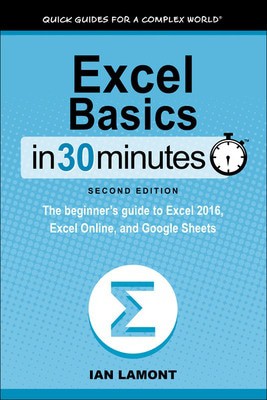
Excel Basics In 30 Minutes (2nd Edition) - Ian Lamont
Oops!
Unfortunately it looks like someone took the last one.
Unfortunately it looks like someone took the last one.
No worries, we have many more interesting finds for you.
Browse similar
Oops!
Unfortunately it looks like someone took the last one.
Unfortunately it looks like someone took the last one.
No worries, we have many more interesting finds for you.
Browse similar
Why choose musicMagpie?
Title
Excel Basics In 30 Minutes (2nd Edition) - The beginner's guide to Microsoft Excel and Google Sheets
Excel Basics In 30 Minutes (2nd Edition) - The beginner's guide to Microsoft Excel and Google Sheets
Author
Ian Lamont
Ian Lamont
format
Paperback / softback
Paperback / softback
Publisher
I30 Media Corporation
I30 Media Corporation
Language
English
English
UK Publication Date
20150105
20150105
Description
Updated in 2018! Here's your chance to finally learn how to use Microsoft Excel! In a single sitting, this quick and easy user guide will help you learn MS Excel basics, from navigating the home screen to working with formulas and charts. It's a great Excel tutorial that will help you in the office, at school, or even at home.
Excel Basics In 30 Minutes, 2nd Edition is written in plain English, with lots of step-by-step instructions and screenshots that demonstrate exactly what to do. This MS Excel tutorial references Excel 2016, but most of the step-by-step instructions apply to earlier versions of MS Excel released as part of the Microsoft Office and Office 365 suites, including Excel 2013 and Excel 2010. If you don't own Excel, the book explains how to use two free online spreadsheets programs: Excel Online and Google Sheets (part of the Google Drive online office suite). Instructions for the Excel mobile apps (Excel for iOS and Excel for Android) are included as well.
Topics include:
- Excel screen layout, cells, and terminology
- Excel 2016 vs. Excel Online vs. Google Sheets
- Basic Excel formatting
- AutoFill
- Excel formulas and functions
- How to make charts in Excel
- Sorting and filtering
- Collaboration and sharing
- Exporting PDF, CSV, and other forms
- Printing tips
- Excel import and export formats (PDF, .CSV, .TSV, text, etc.)
This is not an Excel bible, but rather a basic Excel tutorial and reference that answers the core questions that any new Excel user will have:
- What is a spreadsheet?
- What are cells?
- What is the button with the Greek letter for?
- How can Excel spreadsheets create basic financial projections?
- How can certain data in a worksheet be highlighted?
- How can data be alphabetized or ranked?
- How to edit a chart in Excel
- How to print an Excel spreadsheet without cutting off columns
The second edition of Excel Basics In 30 Minutes is up-to-date with new instructions and high-resolution screenshots of Excel 2016, Excel Online, and the new Google Sheets. It includes new sections about collaboration, OneDrive, and other features.
Why buy with musicMagpie?

FREE 12 Month Warranty on Tech

Magpie Certified Refurbished Tech

FREE Delivery on ALL Orders

14 Day Money Back Guarantee

90 Point Refurbished Quality Check
If you’re looking for something new to listen to, watch or play, look no further than the musicMagpie Store. We sell over half a million new and used CDs, DVDs, Blu-Rays, Games and Vinyl, spanning all kinds of genres and consoles, with prices starting from just £1.09! We also sell a wide range of refurbished Mobile Phones and Tech from major brands like Apple, Samsung, Sony, Microsoft and much more. With a 12 month quality warranty, you can save with total confidence.