










Item out of stock
Selling fast! Item low in stock
Facebook marketing - Steven Holzner
Oops!
Unfortunately it looks like someone took the last one.
Unfortunately it looks like someone took the last one.
No worries, we have many more interesting finds for you.
Browse similar
Why choose musicMagpie?
Title
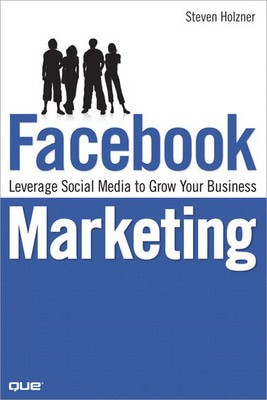
Facebook marketing - leverage social media to grow your business
Facebook marketing - leverage social media to grow your business
Author
Steven Holzner
Steven Holzner
format
Paperback / softback
Paperback / softback
Publisher
Que
Que
Language
English
English
UK Publication Date
20080925
20080925
Description
Profit from Facebook!
High-Impact, Low-Cost Social Marketing That Works!
With more than 80,000,000 affluent, savvy members, Facebook is today's fastest-growing marketing opportunity! But traditional marketing methods won't work here. In Facebook Marketing, best-selling author Steven Holzner reveals new social marketing techniques that do work, and shows you exactly how to make the most of them. Using true case studies, Holzner introduces powerful new techniques from today's smartest Facebook marketers...and helps you avoid pitfalls that can cost you money and credibility. No matter what business you're in, you'll learn how to create bottom-up, "viral" Facebook marketing programs that achieve maximum results at minimum cost!
- Crafting your Facebook profile for maximum impact
- Getting into the Facebook community: crucial dos and don'ts
- Joining the right Facebook Groups-or starting your own
- Creating a Facebook blog that attracts paying customers
- Promoting products and services with free Facebook Marketplace classifieds
- Hosting your own Facebook events: from company picnics to concerts
- Successfully advertising on Facebook, without overspending
- Promoting your business within today's most popular Facebook applications
- Tracking the results of your advertising
- Using brand-new viral video marketing techniques
- Driving even more Web traffic to your Facebook pages
- Building your own Facebook applications
Introduction 1
1 Targeting Your Profile 5
Welcome to Facebook Marketing 5
Welcome to Facebook 7
Getting Started with Facebook 8
The Profile Tab 12
Across the Top 13
The Search Bar 15
Name, Photo, Networks, and Status 18
The Mini-Feed Section 19
The Friends and Friends in Other Networks Sections 19
The Photos Section 21
The Groups Section 23
The Information Section 24
The Education and Work Section 24
The Gifts Section 25
The Wall Section 25
Editing Your Profile 25
Setting Profile Privacy 27
The Friends Tab 31
Searching for Friends 31
Managing Your Friends 33
Creating Friend Lists 35
The Inbox Tab 37
Reading Messages 38
Avoiding Spam 39
Reading Notifications 39
Composing Messages 40
Getting Help 41
2 Facebook Groups 45
Welcome to Facebook Groups 45
Messaging Your Members 46
A Word About Spam 46
Joining Facebook Groups 47
What Groups Are Available? 47
Taking a Look at a Group 51
How Do I Join a Group? 54
Which Groups Can I Join? 54
Creating Your Own Facebook Groups 55
Creating Your Group 57
Customizing Your Group 58
Inviting Friends to Join Your Group 61
Seeing Your New Group 65
Managing Your New Group 67
Deleting a Group 70
3 Creating Your Own Pages 71
Welcome to Facebook Pages 71
Pages from a Marketing Perspective 72
Viral Marketing with Pages 73
Page Authenticity 74
Finding Pages 75
Searching for Pages 76
Browsing Pages by Type 78
Browsing All Pages 79
Becoming a Fan of a Page 80
Examining a Page 83
Sharing a Page 85
Creating Your Own Page 88
Examining Your New Page 92
Editing Your Page 94
Updating Your Fans 98
Promoting Your Page 99
4 Hosting Your Own Facebook Events 101
Welcome to Facebook Events 101
All About Facebook Events 102
Checking Out Your Friends' Events 103
Taking a Look at an Event 104
The Information Section 106
The Description Section 107
The Other Information Section 109
The Photos,Video, and Posted Items Section 109
The Confirmed Guests Section 109
The Other Invites Section 109
The Wall 110
The Event Type and Admins Section 110
Adding an Event to Your Event List 110
Browsing for Events 113
Searching for Events 113
Creating an Event 115
Customizing an Event 117
Uploading the Image for the Event 118
Setting Event Options 118
Setting Event Access 119
Inviting People to Your Event 119
Seeing Your Event 122
Managing and Publicizing Your Event 124
Message All Guests 124
Invite People to Come 124
Edit Event 126
5 Introducing Advertising 129
Welcome to Advertising 129
News Feed Advertising with Posted Items 131
Posting Items from External Sites 131
Posting Items from Facebook 134
Posting Items with the Share on Facebook Button 135
Posting Items from Partner Websites 135
Deleting Posts 137
Using Ads 139
There Are Ads, and Then There Are Social Ads 139
Cost Per Click or Cost Per Thousand? 141
Bidding for Ad Presentation 141
Creating an Ad 142
Setting Up Your Account 142
Starting Your Ad 143
Choosing What to Advertise 144
Choosing Your Audience 145
Creating the Ad 147
Setting the Budget for Your Ad 151
Review Your Ad 153
Congratulations 154
6 Optimizing and Monitoring Your Advertising 157
Understanding Your Campaign 158
Tuning the Number of Impressions 159
Tuning the Click-Through Ratio 160
Tuning the Average CPC 160
Getting an Ad's Daily Details 161
Changing Your Ad's Settings 163
Changing Your Bid 163
Changing Your Budget 163
Pausing or Deleting Your Ad 164
Modifying Your Ad 164
Checking Your Billing 166
Your Daily Spending Limit 166
Integrated Solutions 167
Exporting Your Campaign's Performance 168
Using Campaign Insights for Pages 170
Page Views 171
Unique Users 171
Wall Posts 171
Discussion Topics 171
Reviews 171
Photo Views 172
Video Plays 172
Optimizing for Your Target Audience 172
Determining Your Target Audience Size 172
Selecting Keywords 175
Some Facebook Ad Facts 175
Onsite or Offsite Landing Pages 176
7 Using the Marketplace 177
Introducing the Marketplace 177
Taking a Look at the Marketplace 178
Marketplace Categories 178
Looking at a Category 179
Looking at an Ad 180
Searching for Items 181
Browsing Other Regions and Networks 182
Creating a Listing 185
Listing an Item for Sale 185
Managing Your Listing 191
Users Can List the Items They Want 193
8 Beacon, Polls, and Networks 199
Introducing Beacon 199
Introducing Facebook Polls 201
All About Facebook Polls 202
Targeting Your Poll 202
Creating and Running a Poll 203
Monitoring a Poll 205
Getting the Demographics of Your Poll Respondents 207
More Facts About Polls 208
Using Facebook Network Pages 209
Joining Networks 210
Accessing Network Pages 212
Posting on Network Pages 215
Creating Your Own Networks 217
9 Facebook Applications 221
Introducing Applications 221
Extend Your Contacts 222
Advertise Using Prebuilt Applications 222
Have a Custom Application Developed 223
Write Your Own Application 223
Finding Facebook Applications 224
Using the Facebook Application Directory 224
Looking at an Application 227
Adding an Application 227
Managing Your Applications 230
Using Prebuilt Applications 237
Advertising in Prebuilt Facebook Applications 237
Gaining Exposure Through Apps 241
Having Custom Apps Developed 242
10 Developing Your Own Applications 245
Creating a New Application 245
Writing the Game 246
Creating the Begin Function 247
Creating the Guess Function 247
Testing the Game 249
Installing the Developer Facebook Application 250
Using the Developer Application 251
Converting the Game into a Facebook Application 253
Filling out the Application Configuration Form 253
Installing and Testing the Game 257
Working with the Facebook API 259
Facebook and Developers 263
Index 265
]]>Why buy with musicMagpie?

FREE 12 Month Warranty on Tech

Magpie Certified Refurbished Tech

FREE Delivery on ALL Orders

14 Day Money Back Guarantee

90 Point Refurbished Quality Check
If you’re looking for something new to listen to, watch or play, look no further than the musicMagpie Store. We sell over half a million new and used CDs, DVDs, Blu-Rays, Games and Vinyl, spanning all kinds of genres and consoles, with prices starting from just £1.09! We also sell a wide range of refurbished Mobile Phones and Tech from major brands like Apple, Samsung, Sony, Microsoft and much more. With a 12 month quality warranty, you can save with total confidence.