










Item out of stock
Selling fast! Item low in stock
Laptops for seniors in easy steps - Nick Vandome
Oops!
Unfortunately it looks like someone took the last one.
Unfortunately it looks like someone took the last one.
No worries, we have many more interesting finds for you.
Browse similar
Oops!
Unfortunately it looks like someone took the last one.
Unfortunately it looks like someone took the last one.
No worries, we have many more interesting finds for you.
Browse similar
Why choose musicMagpie?
Title
Laptops for seniors in easy steps
Laptops for seniors in easy steps
Author
Nick Vandome
Nick Vandome
format
Paperback / softback
Paperback / softback
Publisher
In Easy Steps Limited
In Easy Steps Limited
Language
English
English
UK Publication Date
20190307
20190307
Description
Laptops have often been seen as the domain mainly of students and businessmen. However, they are also an excellent option for senior users: their mobility means that they can be used in any location and with the advent of wireless technology they can be used in a variety of public places to surf the Web or keep in touch with family and friends.
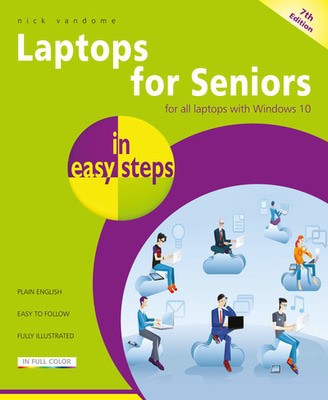
Laptops for Seniors in easy steps, 7th edition covers all laptops that use Windows 10.
Laptops for Seniors in easy steps, 7th edition begins by looking at some of the ergonomic issues surrounding laptops and shows how to be as comfortable as possible when using them and transporting them. It then gives an overview of the workings of laptops, including the software that is provided with them and some of the most-used features in the Windows 10. Issues such as using your laptop on vacation and sharing it with other family members are then looked at, to show how laptops are versatile and family-friendly. The book shows you how to:
Laptops for Seniors in easy steps, 7th edition takes the mystery out of using a Windows 10 laptop and shows how it can be used effectively for productivity and fun.
Why buy with musicMagpie?

FREE 12 Month Warranty on Tech

Magpie Certified Refurbished Tech

FREE Delivery on ALL Orders

14 Day Money Back Guarantee

90 Point Refurbished Quality Check
If you’re looking for something new to listen to, watch or play, look no further than the musicMagpie Store. We sell over half a million new and used CDs, DVDs, Blu-Rays, Games and Vinyl, spanning all kinds of genres and consoles, with prices starting from just £1.09! We also sell a wide range of refurbished Mobile Phones and Tech from major brands like Apple, Samsung, Sony, Microsoft and much more. With a 12 month quality warranty, you can save with total confidence.