










Item out of stock
Selling fast! Item low in stock
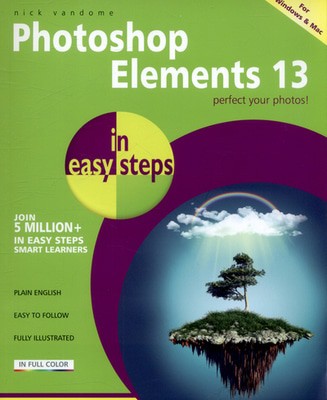
Photoshop Elements 13 in easy steps - Nick Vandome
Oops!
Unfortunately it looks like someone took the last one.
Unfortunately it looks like someone took the last one.
No worries, we have many more interesting finds for you.
Browse similar
Oops!
Unfortunately it looks like someone took the last one.
Unfortunately it looks like someone took the last one.
No worries, we have many more interesting finds for you.
Browse similar
Why choose musicMagpie?
Title
Photoshop Elements 13 in easy steps
Photoshop Elements 13 in easy steps
Author
Nick Vandome
Nick Vandome
format
Paperback / softback
Paperback / softback
Publisher
In Easy Steps Limited
In Easy Steps Limited
Language
English
English
UK Publication Date
20150305
20150305
Description
Adobe's best-selling Photoshop Elements is a digital editing program that bridges the gap between very basic editing programs and professional-level ones, and Elements 13 is updated with even more features to enhance pictures. Photoshop Elements 13 in easy steps reveals all the key features on offer for you to perfect your photos, including:
- Navigating around Photoshop Elements: including using the Expert Edit mode, the Expert Toolbox, Panels, Menu Bar, preferences and Organizer workspace.
- Organizing images: downloading digital images, viewing and organizing them using the People, Places and Events views, tagging images so they are easy to find, searching for items according to a variety of criteria, and also using albums and folders.
- Editing techniques: Color enhancements, cropping, cloning, using the healing brush, rotating, transforming, magnification, using the eraser function, editing hue and saturation, using the Histogram to precisely edit images, importing RAW images, changing the size and resolution of an image, and resampling images.
- Selecting areas and using the tools and functions with Elements, including Marquee tools, Lasso tools, Magic Wand tool, Selection brush tools, Feathering and more.
- Using Text and Drawing tools, to add, format, edit and customize text.
- Adding special effects using the Graphics panel, adding filters, Zoom Burst, Depth of Field and more.
- Adding and editing layers independently from one another to add numerous elements to an image.
- Using "Quick Wins" for removing unwanted objects, removing red-eye, changing photos to black and white, enhancing images and Photomerge options.
- Sharing your photos on social media sites, creating Facebook covers, photo collages, photo books, DVDs, CD and DVD jackets and labels and more.
- Finally, print your images in a variety of formats.
Photoshop Elements 13 in easy steps covers versions for both PC and Mac users and demonstrates both the fun and the functionality of image editing which makes Photoshop Elements 13 the perfect image editing program for any photography enthusiast.
Why buy with musicMagpie?

FREE 12 Month Warranty on Tech

Magpie Certified Refurbished Tech

FREE Delivery on ALL Orders

14 Day Money Back Guarantee

90 Point Refurbished Quality Check
If you’re looking for something new to listen to, watch or play, look no further than the musicMagpie Store. We sell over half a million new and used CDs, DVDs, Blu-Rays, Games and Vinyl, spanning all kinds of genres and consoles, with prices starting from just £1.09! We also sell a wide range of refurbished Mobile Phones and Tech from major brands like Apple, Samsung, Sony, Microsoft and much more. With a 12 month quality warranty, you can save with total confidence.