










Item out of stock
Selling fast! Item low in stock
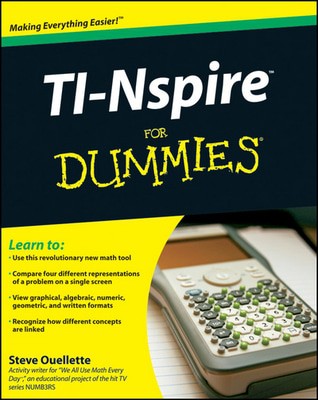
TI-Nspire for dummies - Steve Ouellette
Oops!
Unfortunately it looks like someone took the last one.
Unfortunately it looks like someone took the last one.
No worries, we have many more interesting finds for you.
Browse similar
Why choose musicMagpie?
Title
TI-Nspire for dummies
TI-Nspire for dummies
Author
Steve Ouellette
Steve Ouellette
format
Paperback / softback
Paperback / softback
Publisher
John Wiley & Sons, Inc.
John Wiley & Sons, Inc.
Language
English
English
UK Publication Date
20090126
20090126
Description
You'll be inspired by this low–stress guide to a high–tech math learning tool!
Your TI–Nspire is unlike any mathematical tool you've ever seen, so you'll really appreciate this plain–English guide to what it can do and how to do it. From loading the batteries and creating a document to performing geometric calculations and constructing statistical graphs, you'll see how to use the TI–Nspire alone and with your PC.
Start here — set up your TI–Nspire handheld, get familiar with the keypad, use the function keys, and configure system settings
You need representation — grasp mathematical concepts more easily through multiple representations and linking representations
Document problems — create documents, add problems, configure page layout, and save your work for assignments or class notes
Be calculating — work with the calculator menu, tools, forms, and variables
Graphic or plane — use the graphing functions in the analytic view and work with geometric objects in the plane geometry view
List the spread — create and manage lists and spreadsheets and use this application with others for statistical calculations
Link up — connect the TI–Nspire handheld to your computer
Open the book and find:
How to connect your TI–Nspire handheld to your computer
Basics of entering and evaluating expressions
How to conduct data collection experiments
How to use CAS (Computer Algebra System) in algebra and calculus
Different methods of graphing a function
How to construct geometric objects
Steps for creating dot plots, histograms, box plots, and scatter plots
What the Notes function provides and how to use it
Why buy with musicMagpie?

FREE 12 Month Warranty on Tech

Magpie Certified Refurbished Tech

FREE Delivery on ALL Orders

14 Day Money Back Guarantee

90 Point Refurbished Quality Check
If you’re looking for something new to listen to, watch or play, look no further than the musicMagpie Store. We sell over half a million new and used CDs, DVDs, Blu-Rays, Games and Vinyl, spanning all kinds of genres and consoles, with prices starting from just £1.09! We also sell a wide range of refurbished Mobile Phones and Tech from major brands like Apple, Samsung, Sony, Microsoft and much more. With a 12 month quality warranty, you can save with total confidence.