










Item out of stock
Selling fast! Item low in stock
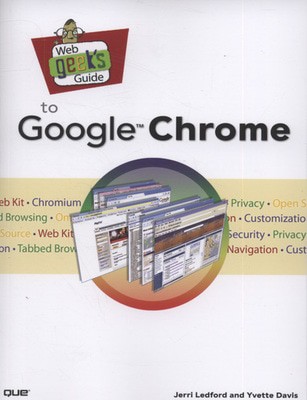
Web geek's guide to Google Chrome - Jerri L Ledford
Oops!
Unfortunately it looks like someone took the last one.
Unfortunately it looks like someone took the last one.
No worries, we have many more interesting finds for you.
Browse similar
Why choose musicMagpie?
Title
Web geek's guide to Google Chrome
Web geek's guide to Google Chrome
Author
Jerri L Ledford
Jerri L Ledford
format
Paperback / softback
Paperback / softback
Publisher
Que
Que
Language
English
English
UK Publication Date
20090625
20090625
Description
MAKE THE MOST OF THE WORLD'S HOTTEST NEW BROWSER, GOOGLE CHROME!
Finally, there's a web browser for today's Internet, and today's user: you! It's Chrome. (From Google-of course!) Now, there's a book that reveals how you can use all of Google Chrome's built-in power and speed-and extend Chrome to do even more! Jerri Ledford and Yvette Davis start with a quick, practical tour of Google Chrome's stripped-down, hot-rod interface -including its do-everything, know-everything Omnibox. You'll be using Chrome like a pro in minutes, but that's just the beginning. You won't just learn how to customize Chrome: You'll dive under the hood, tweak its code, and transform it into the browser of your dreams. Bottom line: If Google Chrome can do it, this book will help you do it smarter, faster, better! Covers all this, and more...
Improving life on the Web: what's new and different about Chrome, and why you care
Getting from Chrome newbie to power user-fast!
Browsing more safely in the Web jungle
Spit-shining Chrome: making a good-looking browser look spectacular
Optimizing your own web site to make the most of Google Chrome
Tweaking tabs, and more: customizing Chrome to your heart's content
Saving time with Google Chrome keyboard shortcuts
Troubleshooting problems with Google Chrome, step-by-step
Learning about Chromium (the foundation on which Google Chrome is built) and its components, WebKit, WebKit Core, WebKit Port, and
WebKit Glue.
Jerri Ledford has been a freelance business technology writer for more than ten years, publishing more than 1,000 articles, profiles, news stories, and reports. She develops and teaches technology training courses on topics ranging from security to customer service. Ledford also helps optimize websites for Google and writes about technology topics ranging from search engine optimization to consumer security and identity theft. She has written 18 books, four of which are about Google applications: Google Analytics, Google Analytics 2.0, Google Powered: Productivity with Online Tools, and Google AdSense for Dummies.
Yvette Davis is Managing Editor for Brighthub.com's Google Channel and Contributing Editor for its Linux Channel.www.WebGeeksGuide.com
Table of Contents
Introduction
1
Part 1: Google Chrome and Browsing the Way It Should Be
Chapter 1
Web Interactions Past and Present
9
The Theory of the Web-Based Operating System
10
A Star Trek-esque Society
10
Web-Based OS Is for the Future
10
Mobility Must Come First
11
Openness Is the Key to Mobility Is the Key to.
12
Browsing in an Application-Driven World
13
Chaos, Fallen Orderly
13
Web-Based from the Ground Up
14
Closing the Door
15
Chapter 2
What Google Chrome Brings to the Browser
17
NOT Your Momma's Web Browser
18
Comparing Chrome to Other Browsers 19
Internet Explorer
19
Firefox
22
Opera
24
Speed Depends on How You Handle the Code
26
Share and Share (Resources), Alike
31
Taking Out the Trash Keeps the Browser Moving Cleanly
32
Searching for the Right User Experience
34
Tabbing Through Life
34
Surfing Without Being Seen
36
It's About the Right Amount of Chrome
37
Closing the Door
38
Chapter 3
Getting Started with Google Chrome
39
A Quick and Easy Download
40
Chrome and Your Privacy Concerns
42
Download and Install Chrome
43
Initial Chrome Customization
44
Everybody Has a First Time Once
46
Chrome Grows with You
46
Chrome Page Controls 47
Point and Click, or Type
49
Bookmark Manager
50
Your Browser, Your Way: Basic Customization
52
Closing the Door
55
Chapter 4
It's Everything: The Omnibox (Plus Some)
57
If It Is Everything, You Should Use It for Everything
58
The Usual Address Bar Duties
58
Security Indicators
59
A Few Other Functions
60
And Then There Are Page Controls
61
More Customization and Controls
64
The Basics Tab 65
The Minor Tweaks Tab
67
The Under the Hood Tab
68
Closing the Door
69
Chapter 5
Stability on the Net
71
Consequences of a Crash
72
Crash Management
72
Chrome's Task Manager
73
Stats for Nerds
74
So Why Won't It Crash?
76
Isolated Tabs Equals Increased Security
76
Using Memory More Efficiently
Extra Precautions: You Can Never Be Too Safe
78
There's No Little Black Box in the Browser
82
Weaving a Multithreaded Web
84
Closing the Door
86
Chapter 6
Safe Browsing on a Threatening Web
87
It's Not If, It's When You're Attacked 88
Chrome Saves the Day?
90
Secure Sockets Layer
91
Security Certificates
93
What Threat Level?
95
Viruses 96
Spyware
97
Trojans 97
A Phishing Reminder
98
Got Sand? Sandboxing Slows Attacks
98
Closing the Door
100
Part II:Tinkering Around Under the Hood
Chapter 7
Open Source Overview
103
Everyone Can Participate
104
Cost
107
Turnaround time for bug fixes and software improvements
107
It Takes a Village: Open Source Is Collaboration
109
Putting the Chromium in Chrome
112
Kits
113
Threads
116
Processes
117
Libraries and Scripts
118
Ensuring a Flawless Application
120
Closing the Door
120
Chapter 8
Developing Sites for Chrome
121
Is This Part of the WebKit?
122
I Should've Had a V8
127
Shifting Gears: How Gears Works with Chrome
131
Closing the Door
134
Chapter 9
Spit-Shining Chrome
135
Chrome Better Faster Stronger 136
...Extended Chrome's Functionality
137
Gears
138
Bookmarklets
140
exe Tools
142
Themes and Theme Editors
143
Greasemonkey
144
Greasemetal
147
We Have the Tools
148
Libraries
148
C++
152
JavaScript
155
Closing the Door
155
Chapter 10
Making It Yours
157
You Gotta Have a Theme
158
Viewer 159
Settings
160
Theme Creator 160
Just a Little Bookmarklet
163
And a Bit of Grease
165
Closing the Door
168
Part III: Chrome for Power Users
Chapter 11
Chrome Hacks for the Power Users 171
Skinning Google Chrome
172
Taking Control with Bookmarks
175
Increase the Capacity of the Bookmarks Bar
175
Changing Bookmark Icons
177
Adding Bookmarklets
181
Print from the Bookmarks Bar
185
Creating Profiles in Google Chrome
186
Creating Multiple User Profiles in Chrome
186
Command-Line Switches
190
About.Chrome's Special about: Pages
Why buy with musicMagpie?

FREE 12 Month Warranty on Tech

Magpie Certified Refurbished Tech

FREE Delivery on ALL Orders

14 Day Money Back Guarantee

90 Point Refurbished Quality Check
If you’re looking for something new to listen to, watch or play, look no further than the musicMagpie Store. We sell over half a million new and used CDs, DVDs, Blu-Rays, Games and Vinyl, spanning all kinds of genres and consoles, with prices starting from just £1.09! We also sell a wide range of refurbished Mobile Phones and Tech from major brands like Apple, Samsung, Sony, Microsoft and much more. With a 12 month quality warranty, you can save with total confidence.