










Item out of stock
Selling fast! Item low in stock
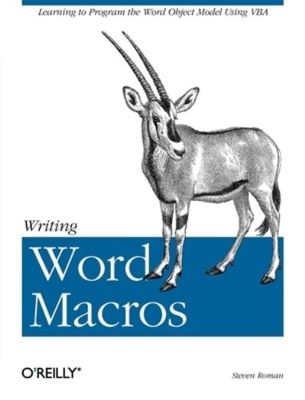
Writing Word macros - Steven Roman
Oops!
Unfortunately it looks like someone took the last one.
Unfortunately it looks like someone took the last one.
No worries, we have many more interesting finds for you.
Browse similar
Why choose musicMagpie?
Title
Writing Word macros
Writing Word macros
Author
Steven Roman
Steven Roman
format
Paperback / softback
Paperback / softback
Publisher
O'Reilly Media
O'Reilly Media
Language
English
English
UK Publication Date
19991115
19991115
Description
Many Microsoft Word users and VBA programmers don't realize
the extensive opportunities that exist when Word's Object Model
is accessed using Visual Basic for Applications (VBA), which
replaced WordBasic in conjunction with the release of Word 97.
By creating what is commonly called a "Word Macro" you can automate
many features available in Word. Writing Word Macros (previously titled Learning Word Programming is the
introduction to Word VBA that allows you to do these things and
more, including:
Word Macros provides Word users, as well as programmers who are not familiar with the Word object model with a solid introduction to writing VBA macros and programs. In particular, the book focuses on:
that is characteristic of Steven Roman's straightforward, practical
approach. Instead of a slow-paced tutorial with a lot of hand-holding,
Roman offers the essential information about Word VBA that you must
master to program effectively. This tutorial is reinforced by interesting and useful examples that solve practical programming problems, like
generating tables of a particular format, managing shortcut keys,
creating fax cover sheets, and reformatting documents.Writing Word Macros is the book you need to dive into the
basics of Word VBA programming, enabling you to increase your power
and productivity when using Microsoft Word.
the extensive opportunities that exist when Word's Object Model
is accessed using Visual Basic for Applications (VBA), which
replaced WordBasic in conjunction with the release of Word 97.
By creating what is commonly called a "Word Macro" you can automate
many features available in Word. Writing Word Macros (previously titled Learning Word Programming is the
introduction to Word VBA that allows you to do these things and
more, including:
- Create custom pop-up menus
- Automatically create tables from lists
- Append one document to the end (or beginning) of another
- Create a toggle switch to change a document from draft to
final copy by adding or removing a watermark in the header - Generate reports using data from other applications
Word Macros provides Word users, as well as programmers who are not familiar with the Word object model with a solid introduction to writing VBA macros and programs. In particular, the book focuses on:
- The Visual Basic Editor and the Word VBA programming environment.
Word features a complete and very powerful integrated development
environment for writing, running, testing, and debugging VBA macros. - The VBA programming language (which is the same programming language used by Microsoft Excel, Access, and PowerPoint, as well as the
retail editions of Visual Basic). - The Word object model. Word exposes nearly all of its functionality through its object model, which allows Word to be controlled programmatically using VBA. While the Word object model, with almost
200 objects, is the largest among the Office applications, readers
need be familiar with only a handful of objects. Writing Word
Macros focuses on these essential objects, but includes a
discussion of a great many more objects as well.
that is characteristic of Steven Roman's straightforward, practical
approach. Instead of a slow-paced tutorial with a lot of hand-holding,
Roman offers the essential information about Word VBA that you must
master to program effectively. This tutorial is reinforced by interesting and useful examples that solve practical programming problems, like
generating tables of a particular format, managing shortcut keys,
creating fax cover sheets, and reformatting documents.Writing Word Macros is the book you need to dive into the
basics of Word VBA programming, enabling you to increase your power
and productivity when using Microsoft Word.
Why buy with musicMagpie?

FREE 12 Month Warranty on Tech

Magpie Certified Refurbished Tech

FREE Delivery on ALL Orders

14 Day Money Back Guarantee

90 Point Refurbished Quality Check
If you’re looking for something new to listen to, watch or play, look no further than the musicMagpie Store. We sell over half a million new and used CDs, DVDs, Blu-Rays, Games and Vinyl, spanning all kinds of genres and consoles, with prices starting from just £1.09! We also sell a wide range of refurbished Mobile Phones and Tech from major brands like Apple, Samsung, Sony, Microsoft and much more. With a 12 month quality warranty, you can save with total confidence.