
Please note: Once your item arrives with us our team of trained experts will run a full diagnostic check to verify your device is as described.


Sell Your iPad Air 3 (2019) for Cash
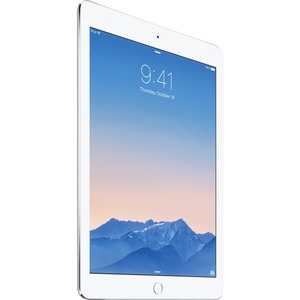
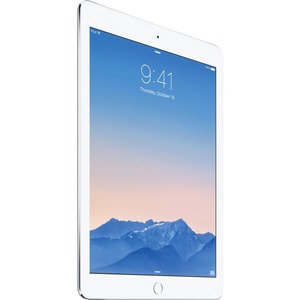
Thinking "how do I sell my iPad Air 3?" Get an instant price, send it for free and receive Fast Same Day Payment with musicMagpie! Find out how much you can make by selecting the iPad Air 3 (2019) you want to sell.
How it works
Whether you’re thinking of upgrading or already have, you can make it cheaper and more environmentally friendly by trading-in and shopping with us!

Get a free instant valuation: just tell us what you want to sell and we’ll tell you how much it's worth.

Send your items for free using one of our convenient options. If you’re selling a phone, you can take it to your nearest participating Timpson store.
Once your items arrive, our expert team will carry out a fair and thorough quality assessment.

When we’ve completed our checks, we’ll pay you the same day via bank transfer.
Trading in iPad Air 3 (2019) online
Sell your iPad Air 3 with musicMagpie for an instant valuation, free postage and same-day payment once we’ve checked your item.
What iPad Air 3 models can I trade in?
We accept:
• iPad Air 3 (2019) Wi-Fi
• iPad Air 3 (2019) Wi-Fi + Cellular
• Different storage options
How the iPad Air 3 trade-in works
Get an instant price - Select iPad Air 3 and your condition to receive an instant valuation.
Send your iPad for free - Pack it securely and send it using free tracked delivery.
Get paid fast - You’ll be paid the same day we receive your device, via bank transfer.
iPad Air 3 (2019) prices and what affects them
The value of your iPad Air 3 depends on:
• Storage size
• Wi-Fi vs Cellular
• Condition selected (wear and faults)
Is my iPad Air 3 price guaranteed?
Yes. With our Tech Price Promise, the first price we offer you is guaranteed, or we’ll send your iPad back for free.
Choosing the right iPad Air 3 condition
We offer three condition options:
Excellent - Very light wear, fully working, no major damage
Good - Light wear, small scratches or scuffs, fully working
Poor - Cracked screen, heavy wear, faults, liquid damage
We can’t buy iPads that are bent, crushed or snapped. Your iPad must be removed from iCloud before sending.
Before you post your iPad Air 3
Before you post your iPad, remember to:
• Remove from iCloud/Find My
• Back up files/photos
• Erase the iPad
• Pack securely (especially corners and screen)
Can I sell an engraved iPad Air 3?
Engraving typically counts as heavier cosmetic wear. Choose the closest condition so your order can be processed smoothly.
Postage and payment
Is postage free?
Yes, postage is 100% free and tracked.
When do I get paid?
When we receive your iPad Air 3, we pay you the same day via bank transfer.
What happens to my iPad after I sell it?
Where possible, it’s refurbished and resold or used for parts to reduce e-waste.
Related blogs

How to transfer data to another device
Learn how to transfer your data, including photos and contacts from your iPhone to another device.

iPad Air vs iPad Pro: How to choose
Make an informed choice by discovering the key differences between the iPad Air and iPad Pro.

Galaxy Tab vs iPad
Should you choose a Galaxy Tab or an iPad? Learn more about each device in this guide!