
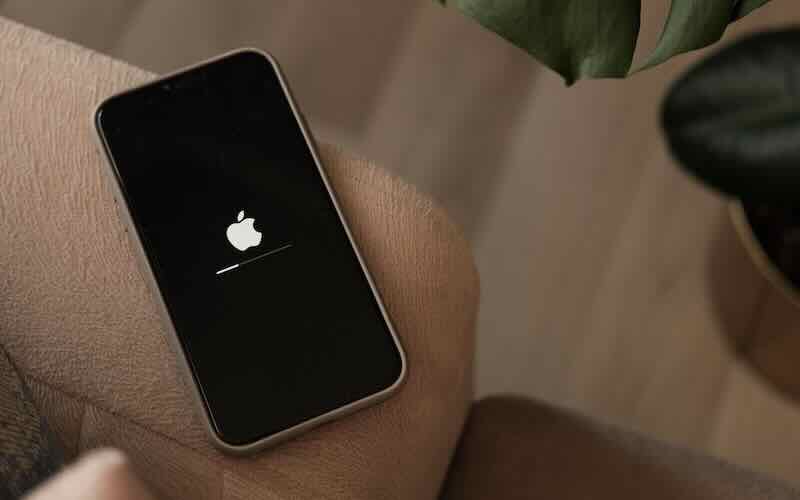
Why is my phone so slow? Here’s what could be causing it
Few things are more frustrating than picking up your phone only to find it taking forever to open apps, load web pages or respond to simple taps. If you’ve found yourself asking ‘why is my phone so slow’, you’re definitely not alone.
The good news is that a phone running slow doesn’t always mean it’s time to replace it. In many cases, there are a few simple fixes that can help improve performance and get your device feeling much faster again.
In this guide, we’ll answer common questions like ‘why is my phone slow’ and ‘why is my phone getting slower’, before explaining what causes phones to slow down over time and what you can do to speed things up.
In this blog:
Why is my phone so slow?
If you’ve been wondering why is my phone running slow or why is my phone slow, working through each of these areas is the best place to start.
Some of the most common reasons include:
- Too many apps running in the background
- Low storage space
- Outdated software
- Old apps that need updating
- An ageing battery
- Malware or unwanted apps (less common but still possible)
- Older hardware that’s struggling with newer software
If you’ve been wondering why is my phone running slow, working through each of these areas is the best place to start.
Your storage is nearly full

One of the biggest reasons for a phone running slow is a lack of available storage. If you’ve been asking ‘why is my phone so slow’ even when you’re only doing simple tasks, checking your storage should be one of the first things you do.
Your phone needs free space to temporarily store files, download updates and run apps efficiently. When storage is almost full, performance can noticeably suffer.
Try this:
- Delete apps you no longer use
- Remove duplicate photos and videos
- Clear downloaded files
- Empty your Recently Deleted folder
- Move photos to cloud storage if you use services like iCloud or Google Photos
- Even freeing up a few gigabytes can make a noticeable difference.
Too many apps are running
Apps don’t always stop working when you close them. Many continue running in the background, using your phone’s memory and processing power.
If you’re wondering why is my phone getting slower, background activity could be playing a part.
Try this:
- Close apps you’re not using
- Restart your phone every few days
- Check which apps are using the most battery and background activity
- Disable unnecessary background refresh where possible
Your software needs updating
Software updates aren’t just about new features. They often include performance improvements, bug fixes and security patches that help your phone run more smoothly.
If you’ve delayed updates for several months, this could explain why your phone is slow.
To check for updates:
- iPhone: Settings > General > Software Update
- Android: Settings > Software Update (this may vary depending on your device)
- Always back up your phone before installing major updates.
Your apps are out of date
Just like your phone’s operating system, apps receive updates that improve performance and fix bugs.
Running lots of outdated apps can contribute to a phone running slow, especially if they’re no longer fully compatible with your current software.
Visit the App Store or Google Play Store and install any available updates.
Your battery may be affecting performance
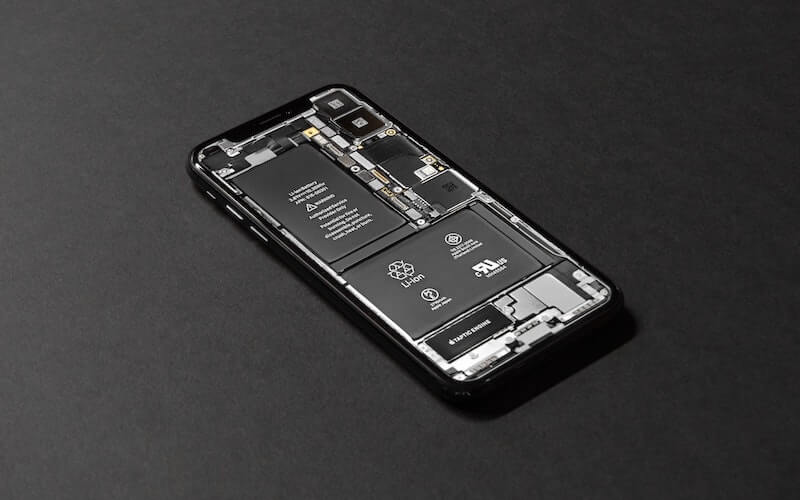
As phone batteries age, they naturally lose capacity.
Some phones automatically reduce performance to help prevent unexpected shutdowns when the battery becomes heavily worn.
If you’re wondering ‘why is my phone getting slower’, it’s worth checking your battery health. As batteries wear out over time, some phones automatically reduce performance to help maintain stability.
On an iPhone:
Go to Settings > Battery > Battery Health & Charging.
If your battery health is significantly reduced, replacing the battery may improve performance.
Too many widgets and animations
Widgets, live wallpapers and visual effects all use processing power.
While they don’t usually cause major slowdowns on newer phones, they can have more of an impact on older devices.
Reducing unnecessary animations or removing widgets you don’t use may help your phone feel more responsive.
Your phone is simply getting older
Sometimes, the answer to ‘why is my phone so slow’ or ‘why is my phone getting slower’ is simply age.
New apps and operating systems become more demanding over time. While older phones can continue working well for years, eventually the hardware may struggle to keep up.
If you’ve already:
- Cleared storage
- Updated your software
- Updated your apps
- Restarted your device
- Checked your battery
…and your phone still feels sluggish, it may be reaching the end of its lifespan.
When should you replace your phone?
If your phone regularly freezes, apps constantly crash or everyday tasks take much longer than they should, replacing it could save you a lot of frustration.
Buying a refurbished phone is a great way to upgrade without paying the full price of buying new. You can enjoy faster performance, improved battery life and newer features while saving money compared to buying brand new.
Whether you’re looking for the latest model or something a few generations older, choosing refurbished lets you enjoy a smoother, faster experience for less.
Final thoughts
If you’ve been asking yourself ‘why is my phone so slow’, don’t panic. In many cases, a phone running slow can be fixed with a few simple maintenance steps, from clearing storage and updating software to restarting your device and checking battery health.
If you’ve tried everything and you’re still left with a sluggish phone, it might be time for an upgrade. Switch to a refurbished iPhone today to save on your next device, and while you’re at it, why not sell your old phone for some quick cash too?






Recent Comments
on Which British artist has sold the most albums?
on Who is the most popular video game character (based on sales)?
on Which British artist has sold the most albums?
on COVID-19 update: We’re here to help you work, connect and play from home
on COVID-19 update: We’re here to help you work, connect and play from home